
test2
TL;DR
A content calendar is a document or tool that maps what you’ll publish, when, where, and who owns each piece. Most teams use Google Sheets, Notion, Airtable, ClickUp, or a dedicated scheduler. The right one depends on team size and how much of the workflow you want to automate.
Five free templates to copy at the end of this article.
Definition: what a content calendar is
A content calendar is a planning document that tracks four things across a timeline:
- What you’re publishing (the piece itself — a blog post, a Reel, a LinkedIn update)
- When it goes live (date, sometimes time)
- Where it gets published (which channel — your blog, Instagram, YouTube, email)
- Who owns each piece (writer, designer, approver)
That’s the whole thing. Everything else is optional.
The format doesn’t matter. A content calendar can be a row in a spreadsheet, a card in Notion, a record in Airtable, or a queued post in a dedicated scheduler. The job is the same: stop relying on memory or last-minute panic to decide what to post next.
What a content calendar is not
It’s not a strategy. A strategy says why you’re publishing — the audience, the topics that matter, the outcomes you’re chasing. A calendar just records the plan.
It’s not an analytics dashboard. Calendars track what you said you’d do and what shipped. Performance lives somewhere else.
It’s not a content management system. A CMS stores the live content; the calendar maps when it should run.
Confusing these is the most common mistake teams make. A team with a great calendar and no strategy ships consistent content nobody wants. A team with a great strategy and no calendar ships erratic content nobody can rely on.
The 4 components every content calendar has
Every workable content calendar has these four columns, fields, or properties. If yours is missing one, fix that before you spend time picking a tool.
1. Channels
The platforms or destinations. A single piece often appears on multiple channels — the same campaign might run as a LinkedIn post, an Instagram Reel, a YouTube Short, a blog article, and an email.
Track each channel separately. Treating „social media” as one bucket is the reason most calendars decay. Instagram audiences and LinkedIn audiences expect different formats; the calendar should reflect that.
2. Dates (and sometimes times)
The publish date is mandatory. The publish time matters more on some platforms (Instagram, TikTok) than others (a blog).
A useful upgrade: track three dates per piece — draft due, approval due, publish date. Most missed publication dates are actually missed approval dates.
3. Statuses
A content piece moves through stages: idea → drafted → in review → approved → scheduled → published. A simple calendar uses a single status field. A more mature one uses a Kanban view of those statuses.
Status is the early-warning system. If 12 pieces are stuck in „in review” two weeks before launch, you have an approval bottleneck, not a writing problem.
4. Ownership
Every piece needs a single named owner. Not a team. Not „Marketing.” A specific person.
The owner doesn’t have to do all the work — they’re responsible for it shipping. Without ownership, calendars become wish lists.
Content calendar vs editorial calendar vs marketing calendar
These terms get used interchangeably, but they mean different things. Picking the right scope matters because each one calls for different fields and a different tool.
Content calendar (narrowest)
Tracks individual content pieces. A blog article. A TikTok. An email. It’s the workhorse format — most teams need one.
If you only have time for one calendar, this is it.
Editorial calendar
Tracks editorial themes and series over a longer timeframe — quarterly content pillars, monthly themes, recurring series („Friday Founder Stories”). It zooms out to ensure the content mix stays balanced and on-strategy.
Larger media operations and content-heavy SaaS teams maintain both: an editorial calendar at the quarterly level and a content calendar at the weekly level.
Marketing calendar (broadest)
Tracks all marketing activities, not just content. Product launches, ad campaigns, webinars, paid promotions, event sponsorships, email blasts. The content calendar is one column inside it.
If you’re a small team, a marketing calendar covers everything. As you grow, separating content from the rest of marketing usually helps because they move at different cadences.
Quick decision guide
| You are | Use this |
|---|---|
| Solo creator or small business | Content calendar only |
| Marketing team of 3-10 | Marketing calendar + content calendar (separate or linked) |
| Content-led media or large SaaS | All three (editorial + content + marketing) |
5 example calendars (with the tools people actually use)
There’s no single right tool. The same calendar logic runs in five different platforms below. Each tradeoff is real.
1. Google Sheets
The default. A grid with columns for date, channel, status, owner, copy, link to assets.
Wins at: zero learning curve, infinite flexibility, free, easy to share, easy to print.
Loses at: no automation, no platform integration, no native preview of how a post looks, breaks at team scale (multiple editors, version conflicts).
Most teams start here. About half stay forever. The other half graduate to something with more structure after 6-18 months.
2. Notion
A database with custom views — calendar view for monthly planning, board view for status, gallery view for visual content review.
Wins at: flexibility, embeds (you can paste a draft directly into the record), works alongside other docs, looks clean.
Loses at: no scheduled publishing — you still need a separate tool to push posts to social platforms. Performance gets sluggish past ~1,000 records.
Strong fit for: content marketing teams that also use Notion for everything else.
3. Airtable
A relational database disguised as a spreadsheet. Each piece of content is a record; channels, owners, and campaigns are linked tables.
Wins at: powerful relationships (one campaign → many pieces → many channels), formulas, automations, gallery and Kanban views built in.
Loses at: learning curve, paid quickly past the free tier, still no native publishing to social.
Strong fit for: agencies managing multiple clients, brands running parallel campaigns.
4. ClickUp (or Asana, or Monday)
Project management tools repurposed as content calendars. Each piece is a task with subtasks for draft, review, approval, schedule, publish.
Wins at: the whole production workflow is in one place; task assignments, time tracking, dependencies, automations.
Loses at: feels heavy for content alone if the team isn’t already using ClickUp for other work.
Strong fit for: teams where content sits inside a bigger marketing operations stack.
5. Dedicated social media schedulers
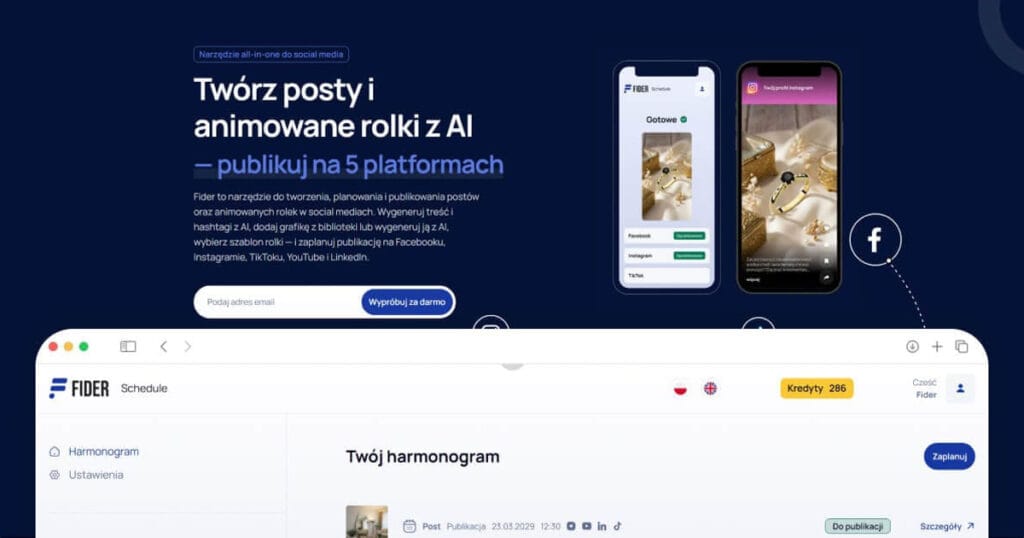
Tools like Buffer, Later, Hootsuite, Publer, or Fider treat the calendar and the publishing as one job. You schedule a post inside the tool; the tool publishes it directly to Instagram, TikTok, YouTube, LinkedIn, and Facebook.
Wins at: no copy-paste between calendar and publisher; previews show how the post will look on each platform; failed publications retry automatically.
Loses at: less flexible than a spreadsheet for non-social content (blog posts, emails, podcast episodes don’t fit naturally); pricing per channel adds up.
Strong fit for: teams whose calendar is mostly social media.
The right tool by team size
The single best predictor of the right calendar is how many people touch it.
Solo (1 person)
Use Google Sheets or Notion.
The overhead of any dedicated tool doesn’t pay off when you’re the only one making decisions. A single-tab spreadsheet covers a year of solo content.
If you publish heavily on social media (more than ~10 posts a week), pair the spreadsheet with a scheduler so you only have to write the post once.
Small team (2-5 people)
Use Notion or Airtable plus a scheduler.
This is the awkward middle. Spreadsheets start breaking down because two people editing the same row creates conflicts. You need real status fields and named ownership. You probably don’t need full project management yet.
Growing team (6-15 people)
Use ClickUp / Asana / Monday plus a scheduler.
By now, content is part of a bigger machine — campaigns, launches, approvals from outside marketing. The calendar needs to live where other work lives so handoffs don’t get lost. You also need automation (notify a designer when copy is approved, escalate if approval is overdue).
Large team (16+ people)
Use a dedicated content operations platform (CoSchedule, Welcome, Sanity Content Calendar) plus a scheduler.
You’re past spreadsheet territory and past general-purpose project management. You need approval workflows that lock pieces, version history that auditors trust, role-based permissions, and integrations with the rest of the marketing stack.
5 free templates to download
Each link below opens a copyable version. Pick the one that matches your current size and copy it into your own account.
1. Solo Creator Calendar (Google Sheets)
A single-tab weekly grid. Columns: date, channel, post title, copy, link, status.
Best for: one-person content operations posting to 1-3 channels.
Download Google Sheets template → (link to live template)
2. Small Team Content Calendar (Notion)
A Notion database with calendar, board, and table views. Includes a content brief template page linked to each record.
Best for: 2-5 person marketing teams.
3. Multi-Client Agency Calendar (Airtable)
A relational Airtable base with clients, campaigns, content pieces, and approval status as linked tables.
Best for: agencies managing 3+ client accounts.
4. Campaign Content Calendar (Google Sheets)
A campaign-centric template. Plan a 4-week campaign across 5 channels, tracking each touchpoint and its dependencies.
Best for: product launches, seasonal campaigns, content series.
Download Google Sheets template →
5. Social-Only Queue (Fider)
A built-in queue view tied directly to publishing. Add a post, schedule a date, and Fider publishes it to Facebook, Instagram, TikTok, YouTube, and LinkedIn without copy-paste.
Best for: teams whose calendar is mostly social media and who want the calendar and the publisher in one place.
When you graduate from a template to a real tool
Templates work until a few specific signals show up. When you hit two or more of these, the template is the bottleneck, not your discipline:
- Multiple people edit the calendar at once and overwrite each other. Spreadsheets weren’t built for this. Notion handles it; Airtable handles it better.
- You copy-paste the same post into 4 different platforms every week. That’s an hour a week of manual work that a scheduler ends.
- You miss publication dates because you forgot to actually go publish the thing. A scheduler with automatic publishing removes the human „go press the button” step.
- You can’t tell what’s in review, what’s approved, and what’s late at a glance. A real status workflow with views (Kanban, calendar, „stuck in review > 7 days”) prevents drift.
- Your calendar lies. Posts that „ship” on the calendar never actually ship. That’s a discipline problem, not a tool problem — but a scheduler that publishes automatically removes one source of drift.
If you’re hitting these, move up the stack. If you’re not, the template is fine.
Frequently asked questions
How often should I update my content calendar?
Weekly is the sustainable cadence. Most teams that try daily updates quit within 60 days; teams that update monthly drift too far before they catch problems. A 30-minute weekly review covers it for most teams under 10 people.
Is a content calendar the same as a content strategy?
No. A strategy says why you publish — the audience, the topics, the outcomes. A calendar tracks the plan. You need both, but you should build the strategy first. A calendar without a strategy is busywork.
What’s the minimum viable content calendar?
Four columns in a spreadsheet: date, channel, post, status. If you can’t keep that current for a month, no tool will help. If you can, you’re ready to add ownership, draft due dates, and approval workflow.
How far in advance should a content calendar be planned?
It depends on the cadence. For social media, plan 2-4 weeks ahead with the next 1 week locked. For blog or email, plan 4-8 weeks ahead. For editorial themes and campaigns, plan a quarter ahead.
Can AI help fill the content calendar?
Yes, with caveats. AI tools (ChatGPT, Claude, or dedicated tools like Fider) can draft post copy, generate variations, and suggest topic ideas based on a brief. They can’t decide what your audience wants — that’s still your job. The best teams use AI for the production layer (writing, image generation, format adaptation) and keep humans on strategy and approval.
Should I use one calendar for all channels or separate ones?
One calendar with a „channel” column or filter. Separate calendars per channel guarantee that someone, somewhere, posts the same thing twice or forgets to cross-post. The exception: completely separate teams running completely separate channels (e.g., the brand team runs LinkedIn, the product team runs the developer blog).
Where to start this week
If you don’t have a calendar yet, this is the 60-minute version:
- Open the Solo Creator Google Sheets template above.
- Add the next 14 days. Pick what you’d post if you had to ship today.
- Fill in the publish date, channel, draft text, and status (idea / drafting / scheduled / published).
- Save the link. Add it to your bookmark bar.
That’s it. The calendar is now real. Whether you upgrade to Notion, Airtable, or a dedicated scheduler later depends on how the next two weeks go.
If most of your work is publishing to Facebook, Instagram, TikTok, YouTube, and LinkedIn, the copy-paste between calendar and platform is what you’ll want to remove first. Fider handles that side — write once, schedule across five platforms, and your calendar is the publishing queue. Free to start, no credit card.
Last updated: 2026-06-05. Plan updates yearly with a refresh on tool comparisons and pricing.